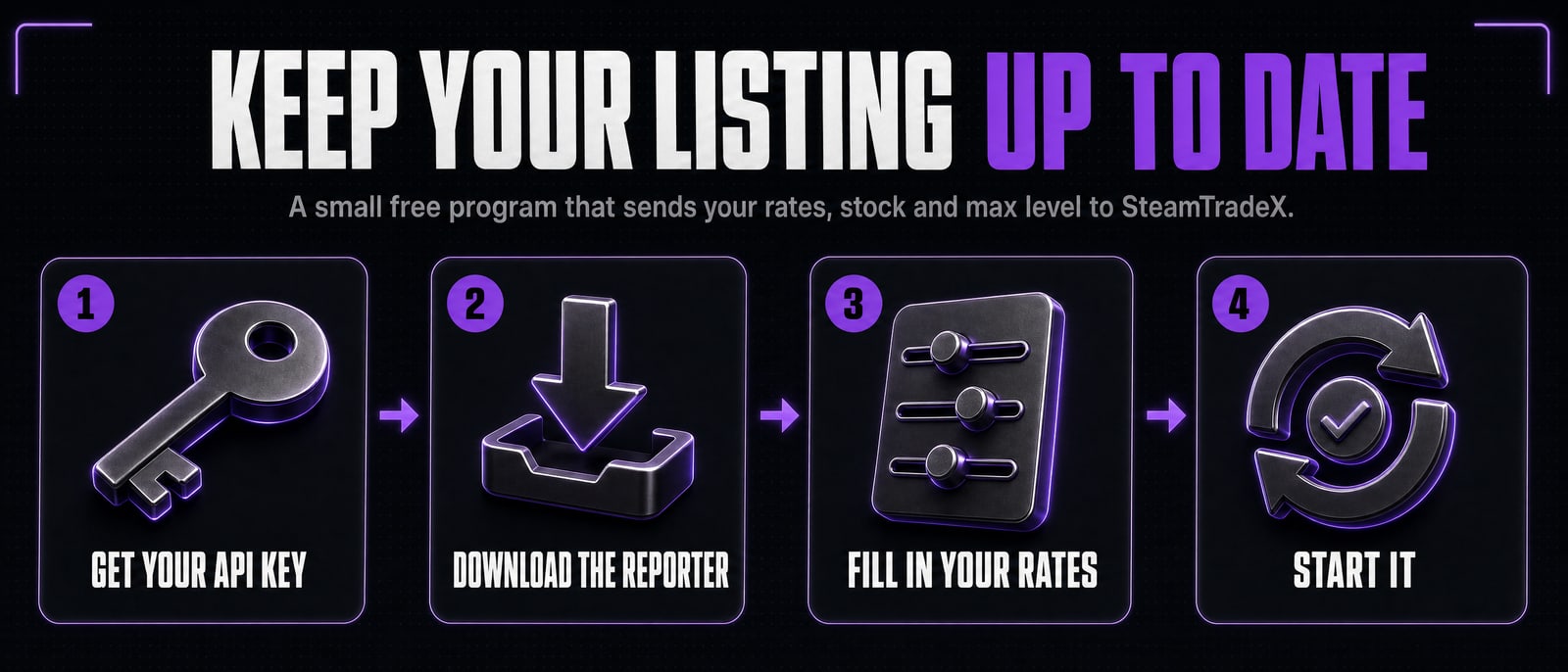
Keep your listing updated with the SteamTradeX Reporter
Is your bot listed here but showing no stock or max level? The script most bots run (levelup-bot) cannot send its numbers to SteamTradeX yet. The Reporter does it for you: a small free program you run on the same computer as your bot. Your bot is not changed. Setup takes about 10 minutes.
1. What it does
- Every 5 minutes it sends your rates to SteamTradeX, so your listing never goes stale.
- Every 30 minutes it looks at your bot’s public Steam inventory, the same way anyone visiting its profile can, counts the complete card sets and games, and works out the highest level your bot can take a new customer to.
- It does not change your bot, its files or its trades. It never needs your Steam password, and it needs no open port.
You need a computer or server that is always on (the one your bot runs on is fine) with Node.js 18 or newer or Docker. Your bot’s Steam inventory must be set to Public.
2. Get your Listing API key
- Your bot must be live on the list. Open Listed Bots, then Edit Bot.
- Under Listing API key, press Issue a Listing API Key and copy it (it starts
stx_). It is shown once; issuing a new one stops the old one working.
3. Download the reporter
Make a new folder for it, separate from your bot’s folder, and put these files in it:
- stx-reporter.mjs is the reporter itself. One file, nothing to install.
- reporter.env.example is the settings file to fill in.
- Dockerfile only if you use Docker.
- README.md is a short copy of these steps.
On a Linux server you can fetch them all at once:
mkdir stx-reporter && cd stx-reporter
for f in stx-reporter.mjs reporter.env.example Dockerfile README.md; do
  curl -fsSO https://steamtradex.com/downloads/stx-reporter/$f
done
To check the main file arrived unchanged, run sha256sum stx-reporter.mjs (on Windows: certutil -hashfile stx-reporter.mjs SHA256). It should print:
0bf8f2b613af6dbff2c056fa5729eabe1eaab1496c34853e9c34cdcb1e2944ae
4. Fill in reporter.env
Rename reporter.env.example to reporter.env and open it in a text editor. Fill in your key and your bot’s SteamID64, then copy each rate across from your bot’s own .env file:
| In reporter.env | Copy from your bot's .env | What it means |
|---|---|---|
| STEAMTRADEX_API_KEY | (your key from step 2) | Lets the reporter update your listing. |
| BOT_STEAMID64 | BOT_ID64 | The bot's 17 digit Steam ID, starting 7656119. |
| RATE_TF2_SETS_PER_KEY | RATES_TF2_SELL | Sets a customer gets per TF2 key when buying. |
| RATE_TF2_BUY_SETS_PER_KEY | RATES_TF2_BUY | Sets a customer gives per TF2 key when selling to the bot. Only if your bot buys sets. |
| RATE_GEMS_PER_SET | RATES_GEMS_SELL | Gems a customer pays for one set. |
| RATE_GEMS_BUY_PER_SET | RATES_GEMS_BUY | Gems a customer is paid for one set. Only if your bot buys sets. |
| MAX_LEVEL | USER_PERMISSIONS_MAX_LEVEL | The highest level your bot will level anyone to. Optional. The reporter works out your max level from your stock (the level a level 0 account reaches with every normal set, at most 5 per game) and sends this instead when it is lower. |
| FOIL_MODE | BOT_FOILMODE | true only if your bot sells foil sets. |
Leave a line empty if your bot does not offer it, for example the gem lines if you only take TF2 keys. Empty lines are not sent.
Or let it follow your bot’s .env
Instead of copying rates, add FOLLOW_BOT_ENV= followed by the path to your bot’s .env. The reporter then uses only the rate, currency, level and Steam ID lines named above. It has to open the file to find them, but every other line, including your Steam password and secrets, is dropped at once: never kept, never printed and never sent anywhere. The file must be on the same machine. Anything you fill in yourself in reporter.env still wins.
5. Start it
First check your settings without sending anything. In the reporter’s folder, run:
node stx-reporter.mjs --dry-run
It reads your bot’s inventory once and prints what it would send. If that looks right, start it for good with one of these.
With pm2
If you already run your bot with pm2, this is the easiest:
pm2 start stx-reporter.mjs --name stx-reporter
pm2 save
With Docker
docker build -t stx-reporter .
docker run -d --name stx-reporter --restart unless-stopped --read-only \
  -v "$PWD/reporter.env:/app/reporter.env:ro" stx-reporter
If you use FOLLOW_BOT_ENV with Docker, also add -v /path/to/your/bot/.env:/bot.env:ro and set FOLLOW_BOT_ENV=/bot.env. If the reporter then says it cannot read the file, do not loosen the file’s permissions. Add --user "$(id -u):$(id -g)" to the docker run line instead, so the reporter runs as you and your bot’s .env stays private.
Changes you make to reporter.env are picked up within 5 minutes. You do not need to restart it.
6. Check it is working
Open the logs with pm2 logs stx-reporter or docker logs -f stx-reporter. It writes one line every 5 minutes:
| The log says | What to do |
|---|---|
| saved: 5,000 sets in 300 games, max level 250 | Nothing. Your listing is up to date. |
| saved: rates only, next inventory read ... | Nothing. Stock is checked every 30 minutes. |
| stock not sent yet: SteamTradeX is still learning set sizes | Nothing. The first time we see your games this can take a while. It fills in by itself. |
| stock not sent: the bot's inventory is private | Set the bot's Inventory to Public in its Steam privacy settings. |
| stock not sent: Steam is busy | Nothing. It waits longer each time and tries again. |
| key rejected: issue a new one in Edit Bot | Issue a new key in Edit Bot, put it in reporter.env, and check the bot is live on the list. |
| refused: BOT_STEAMID64 is not the bot this key belongs to | Fix BOT_STEAMID64, or use that bot's key. |
Your listing also shows when it was last updated. A bot that sends nothing for 8 hours moves to the Missing Data table.
7. What it does not pick up
- Rate changes made by chat command. If you change a rate by messaging your bot, the list keeps the old rate until you change it in
reporter.env(or in your bot’s.envif you useFOLLOW_BOT_ENV). - A rate you stop offering. An empty line is simply not sent, so the list keeps the last value. If you stop taking gems or stop buying sets, ask in our Discord and we will clear it.
- Stock changes between checks. Stock is counted every 30 minutes, not after every trade.
If your bot script adds SteamTradeX reporting itself one day, you can switch to that and stop the reporter with pm2 delete stx-reporter or docker rm -f stx-reporter. The Listing API guide has the details any script needs.
8. Keep it safe
- Never share your Listing API key. It can only change this one bot’s rates and stock, but anyone with it can do that. If it leaks, issue a new one in Edit Bot.
- It never needs your Steam password or your bot’s secrets. Do not put them in
reporter.env. - It needs no open port. It only makes outgoing requests to Steam and to SteamTradeX.
- It never prints your key, and never prints anything from your bot’s file.
- Only download it from this page. It is one readable file, so you can look through it before you run it.