How Steam level up bots work, and how to pick one
A Steam level up bot sells you complete trading card sets, and every set you craft into a badge raises your Steam level. Here is how the bots work, what their rates mean, what a trade looks like from start to finish, and how to pick one you can trust.
1. What a level up bot is
A level up bot is an automated Steam account that holds a large stock of complete trading card sets and trades them to you at a fixed price, any time of day, with nobody at the keyboard.
The point of a set is the badge. One full set of a game’s cards crafts that game’s badge one level, and every craft is worth 100 XP. A normal game badge goes up to level 5, so one game is worth up to five crafts. Levels get dearer as you climb: levels 1 to 10 take 10 sets in all, the step from 10 to 11 alone takes 2, and getting from level 0 to 100 takes 550 sets.
A bot is simply the quickest place to get hundreds of sets in one trade. For your own numbers, use the Steam Level Calculator; for the whole levelling plan, read how to level up your Steam account fast.
2. What the rate means
Every level up bot shows its price as a rate.
- Sets per key. A rate written like 6.5:1 means 6.5 card sets for one TF2 key. The number is how much one key buys, so a higher number is cheaper for you.
- Gems per set. Bots that also take Steam gems show a second price: how many gems you pay for one set. Here it works the other way round, so a lower number is cheaper.
- Whole sets for whole keys. A bot cannot sell you half a set, so a part set is rounded down. At 6.5:1 one key gets 6 sets, but two keys get 13. Buying in one go wastes less.
Rates differ from bot to bot and change over time. Today’s live ranking is on cheapest Steam level up bots.
3. How a trade works
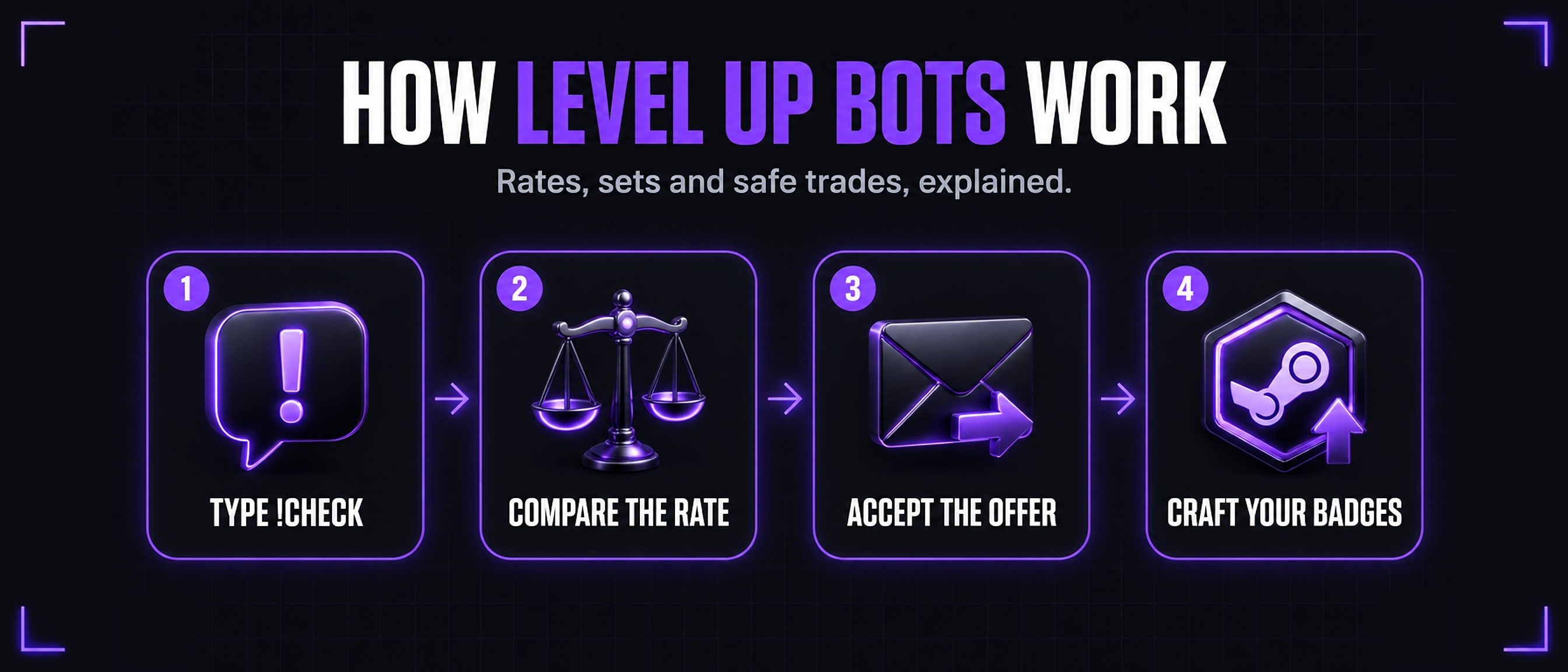
You talk to a bot in Steam chat with commands that start with an exclamation mark. Most bots in this market answer the same names, listed on bot commands.
- Add the bot on Steam, or open a chat with it from its profile. Type
!commandsto see everything it answers. - Ask what it can give you.
!checkshows how many sets you could buy right now, counting only badges you can still craft.!level 50works out how many sets it takes to reach level 50, and!checktf 2shows what 2 TF2 keys would buy. - Buy with a command.
!buytf 2spends 2 TF2 keys on sets you have not crafted yet. To pay in gems,!checkgemsand!buygemsdo the same with a number of gems or sets. - The bot sends you a trade offer. It asks for your keys or gems and gives you the card sets.
- Check the offer, then accept it. Make sure it asks only for what you meant to spend and gives you cards. Then confirm it in the Steam Mobile App with Steam Guard.
- Craft your badges. Open Badges on your Steam profile and craft each one that is ready. Your level goes up as you craft.
4. Why a good bot knows your badges
A set is only worth something to you if you can still craft it. Once a game’s normal badge reaches level 5, another set of that game gives you no XP at all.
So a good bot reads your badges before it sells. Its !check counts only the games you have not finished, and its normal buy command (!buytf, !buygems) sends one set per badge level you still have left, never a sixth. Most bots also have !buyanytf for any sets at all, which is for collectors, not for levelling; use the normal command unless you mean it.
This is also why a bot has a max level. Each game can only take you five levels further, so a bot can only take you as high as its range of different games allows. If you are already high, a bot with a big stock of only a few games may have little left for you.
5. How to pick a bot
- The rate. More sets per TF2 key, or fewer gems per set, is a cheaper level.
- Sets in stock. The bot needs enough sets for what you want to buy.
- Max level. Pick a bot whose max level is at or above the level you are aiming for.
- When it last reported. Bots on our list send their own rates and stock. One that has not reported for over eight hours is usually offline, and we move it out of the main table and say so, rather than showing an old price as today’s.
- Warnings. A bot staff marked as a scam, or one that gave less than it advertises when we tested it with a small order, is moved to the Missing Data table with the reason next to it. Do not trade with it.
The Steam level up bot list shows every bot’s rate, stock, max level and last update. The cheapest level up bots ranking sorts the ones you can trade with now by sets per key. Whichever you pick, type !check before you pay.
6. Staying safe
- Only accept offers you asked for. A real bot sends an offer after you type a buy command. An offer out of the blue, from anybody, gets declined.
- Read every item in the offer. You should get card sets, and give only the keys or gems you meant to spend. If anything else is in it, decline.
- Make sure it is the right bot. Copies of popular bots borrow their names and pictures. Add bots from their profile link on the list, and check the Steam level and history on the profile you are trading with.
- Avoid trade holds. Without the Steam Guard Mobile Authenticator, Steam can hold traded items for days, and a bot may decline the trade. Turn it on before you buy.
- A bot never needs your login. Not your password, not a Steam Guard code, not a Steam Web API key. Everything happens in a trade offer you accept yourself. Anybody asking for these, or to trade off Steam, is a scammer.
- Never send items first. The bot sends the offer, with both sides in it, and you accept it.
7. Running a bot of your own
Thinking of running a level up bot rather than buying from one? Our Steam level up bot script runs on your own Linux VPS for 30 TF2 keys once, with no monthly fee.
Want to try one for nothing first? Our free, open-source level up bot is on GitHub: one bot, TF2 keys and six chat commands.
Already running one? List your bot on SteamTradeX for free.
Questions
Are Steam level up bots safe?
Trading with a bot is as safe as any Steam trade: the offer shows both sides, and nothing moves until you accept it. The risk is accepting an offer you did not read, or one from a copy of the bot. Every bot on our list proved its owner controls it, but read each offer yourself.
Why do rates differ between bots?
Each owner sets their own price, from what their sets cost them and how much stock they hold. Compare them on the cheapest bots ranking.
Can I pay with gems?
Many bots take Steam gems as well as TF2 keys. Their gems price is shown as gems per set, and you buy with !buygems. Bots that take only keys show no gems price.
What is the max level a bot can take me to?
Each bot shows its own max level on the list. It depends on how many different games it holds sets for, since each game’s normal badge only goes to level 5.
Do I need the Steam Guard Mobile Authenticator?
Yes, to trade without a hold. Without it Steam can hold the items for days, and a bot may decline the trade.