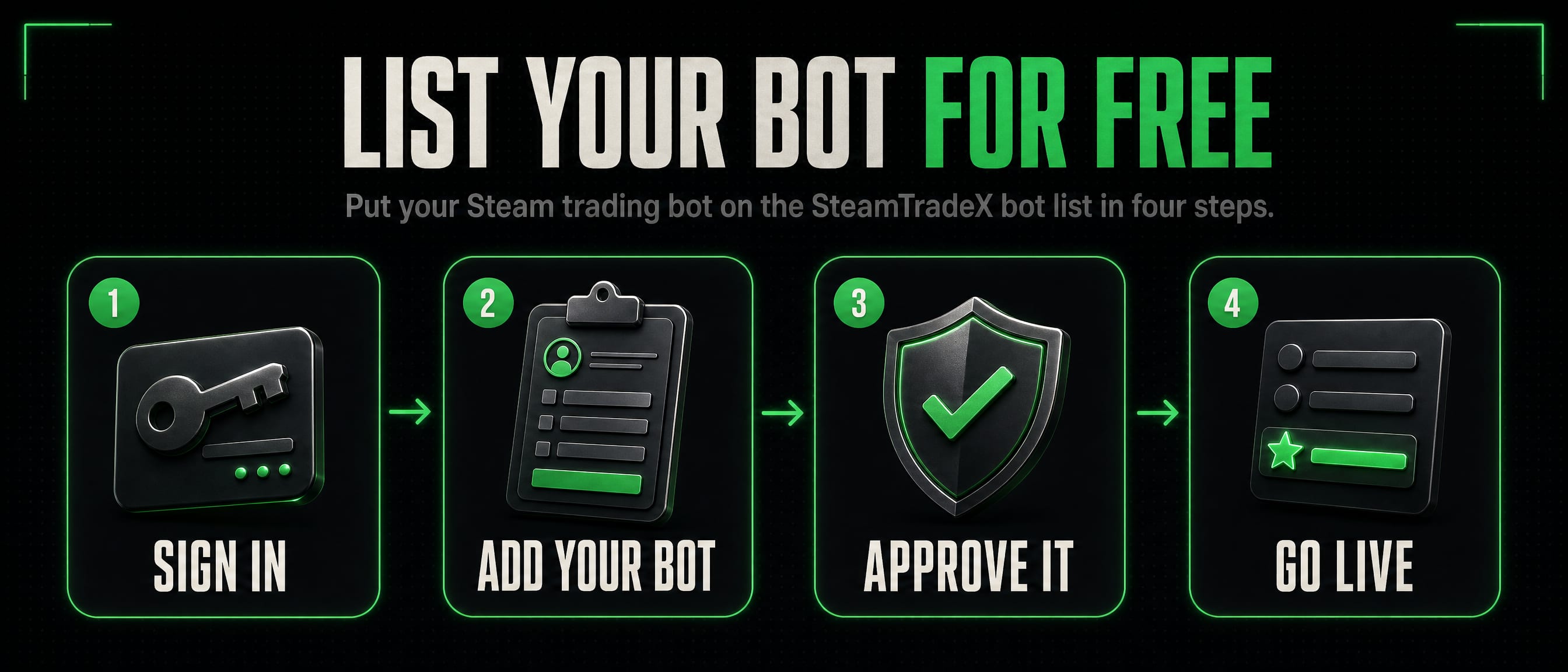
List your Steam bot for free
Listing a bot on SteamTradeX is free and stays free. Traders find it by its rates, stock and max level, and a person reads every listing before it goes live. It takes about five minutes.
1. Before you start
- A SteamTradeX account. Sign in with Steam or with an email address. This is your own account, the one that will own the listing.
- The bot’s SteamID64. 17 digits starting with 7656119. Paste the bot’s profile link into steamid.io to find it.
- The bot’s Steam login to hand. You will sign in to SteamTradeX with it once, to prove the bot is yours. You never give us its password: Steam asks for it on Steam’s own page.
2. Add your bot
- Open List Your Bot.
- Choose the category: card bots trade Steam trading card sets, gem bots trade gems for keys, crypto bots trade crypto for items, and holiday bots trade seasonal and event cards. Anything else goes under misc.
- Fill in the bot name (what people see, usually its Steam display name), the SteamID64 and a one line description. Descriptions are plain text; any markup is removed.
- Press Submit for Review. Listing several bots? Add them all now, then approve each one in the next step.
One account can hold up to 25 listings.
3. Approve it from the bot’s Steam account
Anybody can type in any Steam ID, so the bot itself has to agree to being listed under your account. That is what stops somebody listing your bot as theirs.
- Sign out of SteamTradeX.
- Sign in again with Steam, as the bot’s Steam account.
- You land on Approve ownership. Press Allow. Then sign out and back in as yourself.
Signed in as the bot when you added it? Then this step is already done and the listing goes straight to review.
4. Review and going live
Somebody from our team reads the listing, usually within a day. Once it is approved it appears on the public bot list and we email you. If it is turned down, the reason is on your Listed Bots page in our own words: fix what it says and send it again.
Card and holiday bots also get a small test order from our checker: it orders sets for one key, the way a customer would, counts what the bot offers and declines the offer. Please accept its friend request. A bot that passes shows Rate checked with the date.
5. Keep it up to date
A listing is only worth reading while its rates and stock are current. A bot that sends nothing for 8 hours moves to the Missing Data table at the bottom of the page. Once it is live, your bot gets a free Listing API key in Listed Bots, and there are two ways to use it:
- Running the levelup-bot script? Run the free SteamTradeX Reporter next to it. No coding, about 10 minutes.
- Running your own script? It can send its rates itself through the Listing API.
Want it above everybody else on its page? See Feature your bot.
Questions
Somebody already listed my bot. What now?
On List Your Bot, use the panel for claiming a bot that is already listed. Give its SteamID64, then sign in as the bot and approve, exactly as in step 3. The listing moves to your account.
Does it cost anything?
No. Listing is free. Featuring and banner adverts are paid, with TF2 keys, and both are optional.
Can I hide my own Steam profile?
Yes. Your Steam profile shows on your bot’s page by default so traders can see who runs it. Switch it off in Edit Bot.